Superpowers
API
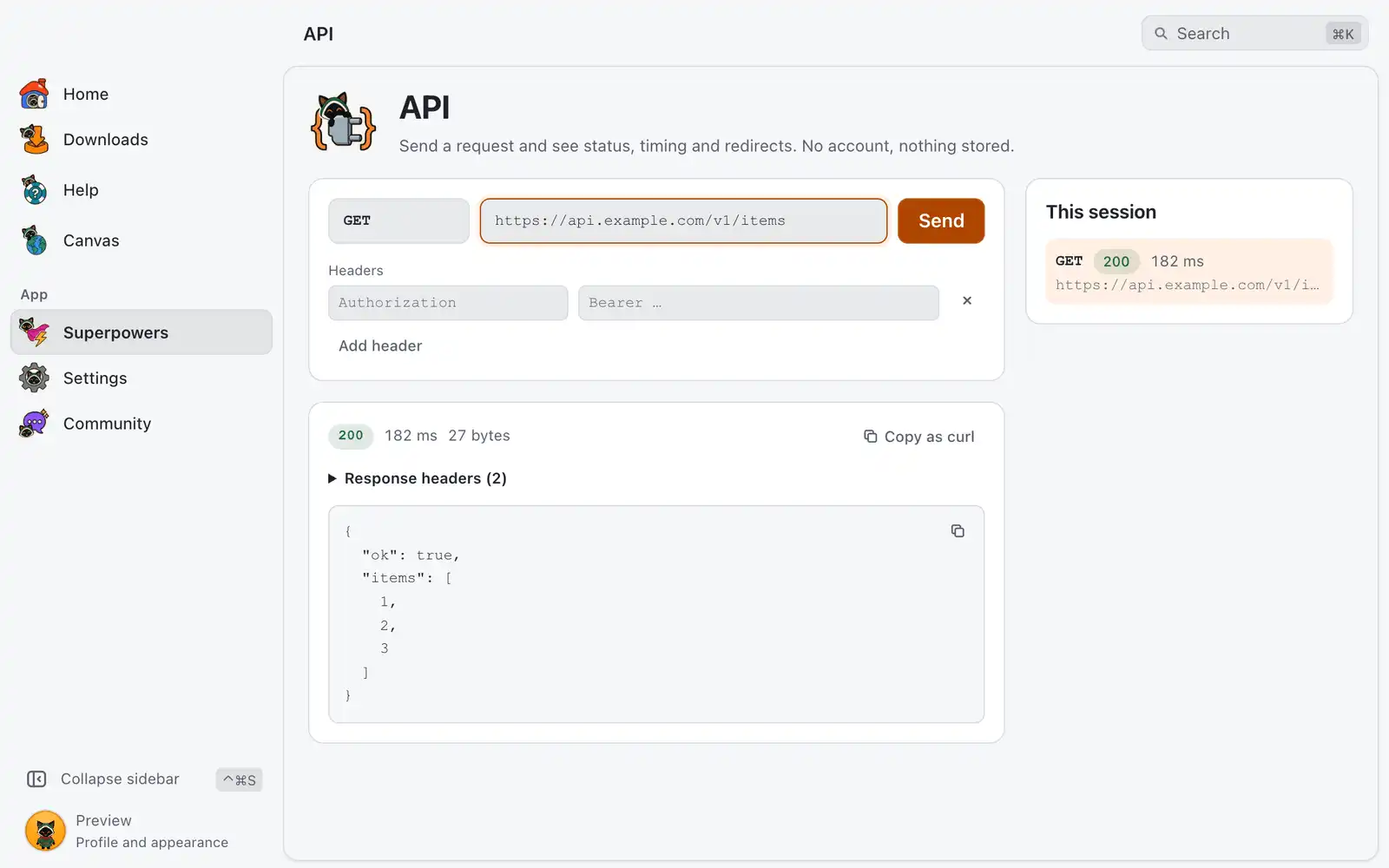
API sends one HTTP request and shows what came back: the status, how long it took, each redirect and the response. It is for testing or debugging an API quickly, with no account and nothing stored.
Where it is
Superpowers › API › Open, in the Developer category. The card is always shown: there is no switch for it in Settings › Integrations. The page has the request and its response on the left, and This session on the right.
How to use it
- Pick the Method:
GET,POST,PUT,PATCH,DELETE,HEADorOPTIONS. - Type the Request address.
- Add Headers if the API needs them, one name and value per row. Add header adds a row.
- For every method except
GETandHEAD, a Body field appears. What you type is sent as is. - Click Send or press ↩Enter.
The response
- The status code, colored by kind, with the total time in ms and the size in bytes.
- Redirects, when there were any: each hop with its status and address, ending at the final one. A chain stops after 10 redirects.
- Response headers, folded; click to open them.
- The body. JSON is pretty-printed. A binary body is not shown. Copy body copies what is on screen.
- Copy as curl copies the same request as a
curlcommand.
The body on screen is a preview of the first 4,000 characters. When the body is longer, a line says how much is shown; when the full body was saved to a file, the page shows its path with Show in folder.
Values of credential headers, such as Authorization and Cookie, appear as *** in what the page shows back, including Set-Cookie in the response.
This session
The last 10 requests stay in This session, each with its method, status and time. Click one to put it back in the form and see its response again. The list is kept until you close the app and is not written to disk.
Limits
A request waits up to 20 seconds for an answer. A response body larger than 50 MB is not read to the end.
For AI agents
dev_http of the MCP server sends the same kind of request and returns the status, headers, redirect chain, timing, a body preview and the curl export.
timeoutMschanges the wait, up to 60 seconds, andmaxBodyCharsthe size of the preview.parseAschooses how the body is shown:auto,json,textorbase64.saveBodyTowrites the full body to a new file. It does not replace an existing one.- Writing
{{env.NAME}}in the address, a header or the body uses a secret from the app’s environment without it appearing in the result.
The response is content from the web, so agents are told to treat it as untrusted. The tool needs the devtools_read permission. From a terminal, omniget-cli tool dev_http method=GET url=https://example.com calls it while the app is running. See Command line.
Shortcuts
| Keys | What they do |
|---|---|
| ↩Enter | Send the request, from the address or a header field |
Common problems
A network error instead of a response
The host name is wrong, the server is down or the connection failed. Check the address and your connection, then send again. The line after Next step: says what to try.
The request timed out
The server did not answer in time. Try again; an agent can raise timeoutMs.
“Binary body, not shown.”
The response is not text, for example an image or an archive. The size is still reported.
I need to read a web page, not an API
Use Scrape, which returns the main content of a page as Markdown.