Accounts, network and extension
Performance
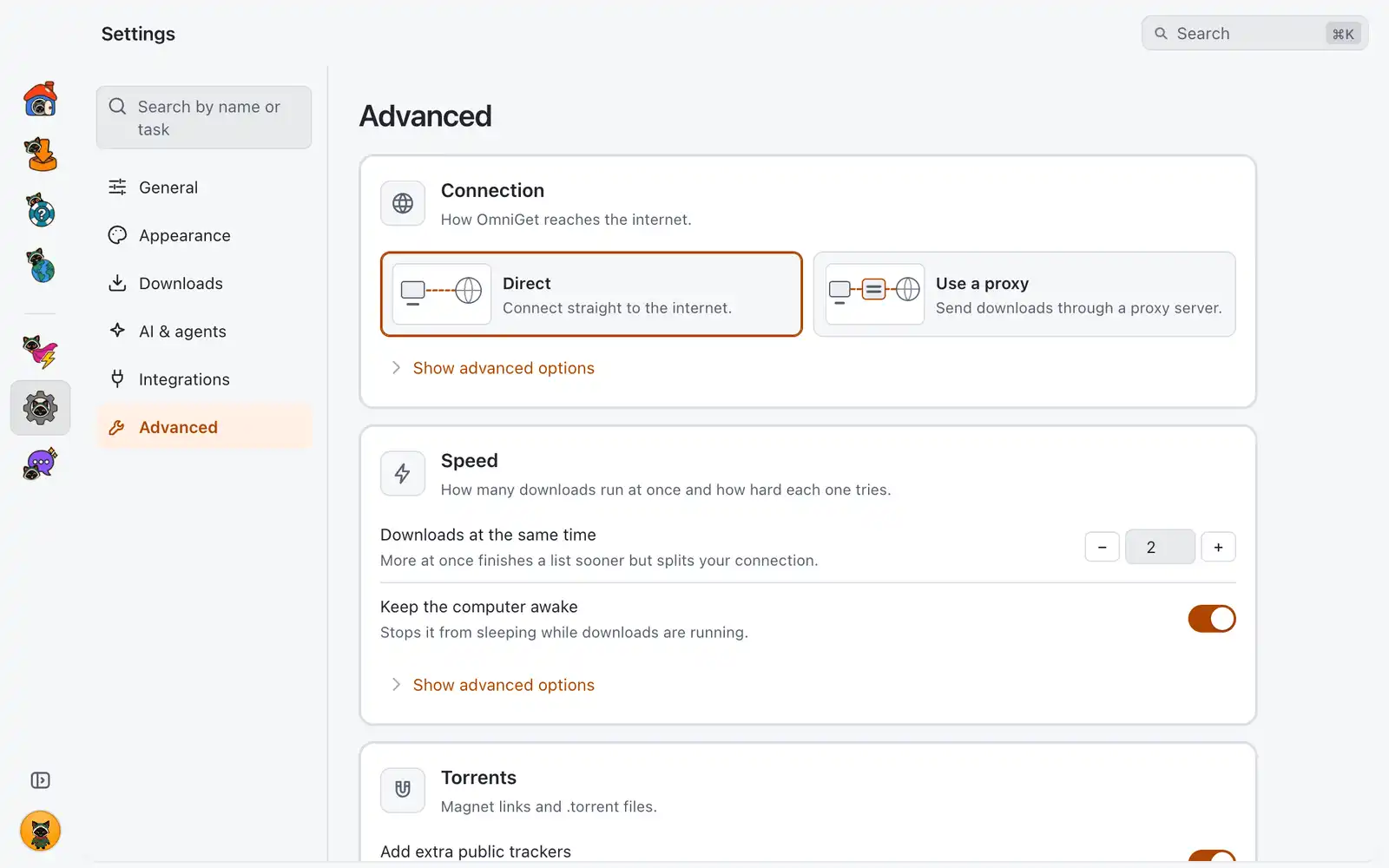
The performance settings control how hard OmniGet works at once: how many downloads run together, how many pieces each download fetches in parallel, and how it retries. The defaults suit most connections; change them when downloads are slow, or when a site starts refusing them.
Where it is
Settings › Advanced › Speed. The retry and parallel-piece limits are under Show advanced options.
How to use it
- Open Settings › Advanced › Speed.
- Use the minus and plus buttons, or type a new value in a field. It is saved when you leave the field.
Run more downloads at once
Downloads at the same time is how many downloads run at the same time; the others wait under Queued in the Queue. Raise it on a fast connection with many small files. Lower it when a site limits you or your connection is shared.
Fetch more pieces in parallel
Many sites send a video as small pieces. Two settings say how many pieces one download fetches at the same time:
- Parallel pieces (streams): for HLS streams (
.m3u8), the format of most live and many on-demand videos. - Parallel pieces: the upper limit for the other downloads. OmniGet starts at 8 and tunes the number per site from the speed it measures: it goes up only when a step really made the download faster, and halves it each time the site answers that there are too many requests.
Leave both at their defaults unless you know a site needs something else.
Retry
Automatic retries is how many times a failed download is tried again before it gives up.
Keep the computer awake
Keep the computer awake stops the computer from going to sleep while downloads are active. When the queue is empty, the computer can sleep again as usual. To sleep or shut down on purpose when everything is done, use When downloads finish in Download tools.
Options
| Option | What it does | Default |
|---|---|---|
| Downloads at the same time | Maximum downloads at the same time, up to 10. | 2 |
| Keep the computer awake | Stops the computer from sleeping while downloads run. | On |
| Automatic retries | How many times a failed download is tried again, up to 20. | 3 |
| Parallel pieces | Upper limit of parallel connections per download, up to 32. | 8 |
| Parallel pieces (streams) | The same limit for HLS streams, up to 100. | 20 |
The last three are under Show advanced options. Each number must be at least one.
Common problems
The site is rate-limiting downloads from your connection.
Too many requests reached the site at once. Lower Downloads at the same time and the two Parallel pieces settings, and retry later.
Downloads are slow on a fast connection
Raise Downloads at the same time if you have many files waiting. For one big file, the number of parallel pieces matters more; OmniGet already adjusts it per site up to the limit you set.
The computer still goes to sleep
Keep the computer awake works only while a download is active.