Superpowers
DevTools
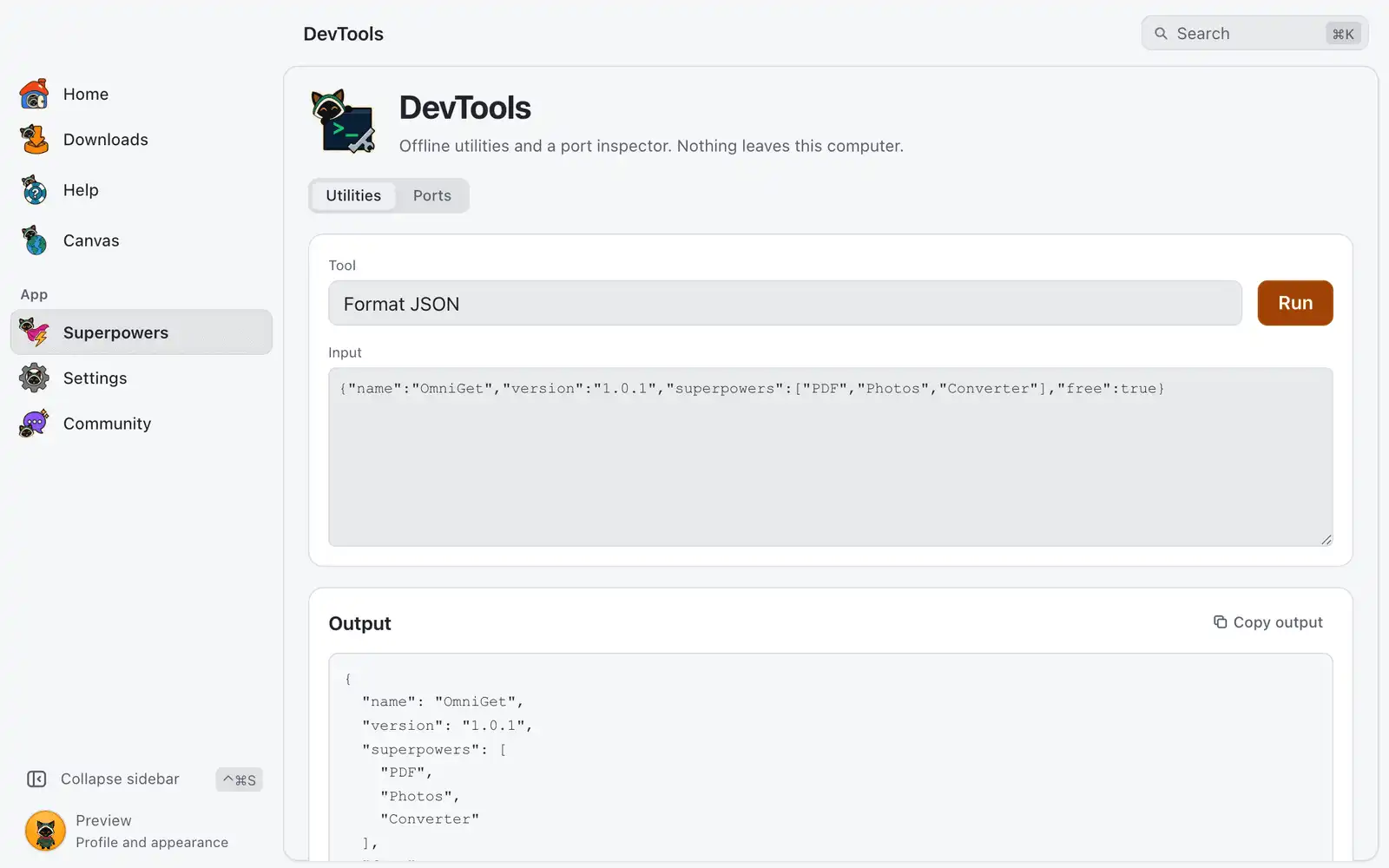
DevTools is a set of small utilities for the conversions and checks a developer does all day, plus a list of what is listening on your ports. Everything runs on your computer and nothing is sent anywhere.
Where it is
Superpowers › DevTools › Open, in the Developer category. The card is always shown: there is no switch for it in Settings › Integrations. The page has two tabs, Utilities and Ports.
How to use it
- In Utilities, pick a Tool.
- Paste your text in Input. Some tools show one more field, such as Algorithm or Second text.
- Click Run, or press ⌘↩Ctrl+Enter in the input.
- Read the Output and click Copy output.
When the input looks like a job for another tool, for example a JWT or a JSON document, a line offers Switch and run.
Utilities
There are 13 tools.
| Tool | What it does |
|---|---|
| Format JSON | Pretty-prints JSON. |
| Minify JSON | Removes the whitespace. |
| Query JSON | Returns the value at Path in the JSON, such as items[0].name. |
| Decode JWT | Shows the header and payload, when the token expires and whether it already has. |
Base64 encode, Base64 decode |
Converts text to this encoding and back. |
| URL encode, URL decode | Escapes text for a URL and back. |
| Hash | Hashes the text with the Algorithm you pick: sha256, sha512, sha1 or md5. |
| UUID | Creates a new UUID. It needs no input. |
| Timestamp | Converts a Unix time or an ISO date to both forms. Empty means now. |
| Test regex | Lists each match of the Pattern (Rust regex) with its position. |
| Compare texts | Shows the difference between Input and Second text. |
The input can be up to 1 MB. A long result is cut, and the page says it is showing the first part.
Ports
Ports lists every process that is listening on a TCP port on your computer, with the Port, the Process and the Command that started it. Use the filter to search by port, process or command, and Refresh to read the list again.
To free a port:
- Click Stop on its row.
- Read which processes will be ended. Unsaved work in them is lost.
- Click Stop process, or press escEsc to cancel.
OmniGet refuses to stop itself or a system process.
For AI agents
Two tools of the MCP server do the same work:
dev_utilruns one utility chosen byop(json_format,jwt_decode,hash,regex_test,text_diffand the rest).hashcan also take a file path. The output is cut at 8,000 characters andregex_testreturns 50 matches unless the agent asks for more.dev_portslists listeners withop=listand ends one withop=kill, by port or by process id. Withoutconfirm=trueit only describes what it would end.
Listing and the utilities need the devtools_read permission; ending a process needs devtools_write. From a terminal, omniget-cli tool dev_ports op=list calls the same tool while the app is running. See Command line.
Shortcuts
| Keys | What they do |
|---|---|
| ⌘↩Ctrl+Enter | Run the tool, from the input |
| escEsc | Close the question before stopping a process |
Common problems
An error ends with “Next step:”
Errors on this page come with a suggestion. Fix what the message names and click Run again.
“Nothing matched.”
The pattern or the JSON path found nothing in the input. Patterns use the Rust regex syntax, which has no look-around or backreferences.
“Could not stop PID”
The system refused, usually because the process belongs to another user, or the process was already gone. Click Refresh to see the current list.
“Nothing is listening on a TCP port right now.”
No process on this computer has a TCP port open that your user can see.