Superpowers
Cut Out
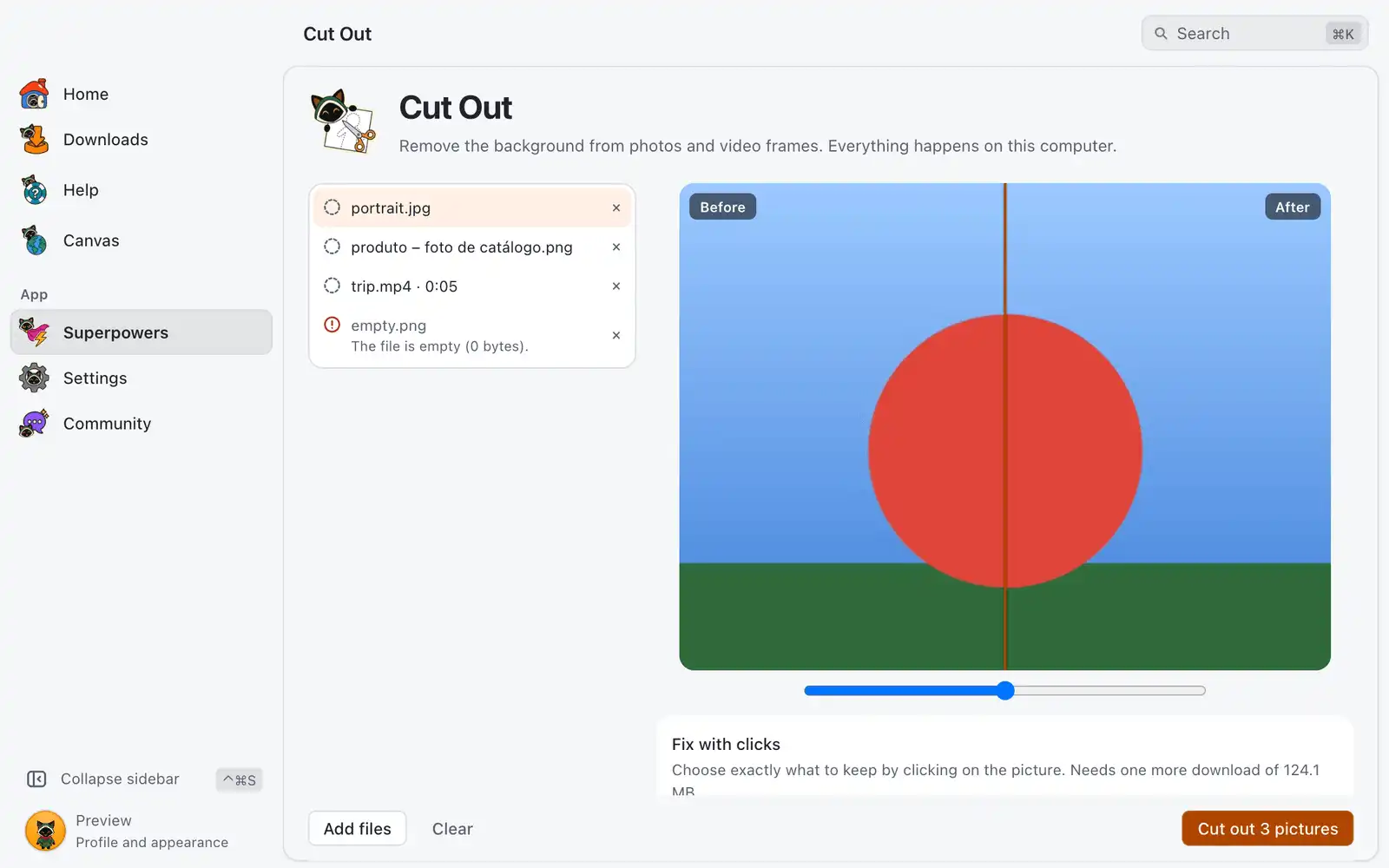
Cut Out removes the background from a photo, or from a moment of a video, and saves a picture with a transparent background. It runs on your computer: your pictures are not sent to any server.
Where it is
Open Superpowers in the sidebar and choose the Cut Out card. The card is always shown: there is no switch for it in Settings › Integrations › Superpowers.
How to use it
- Drop photos or videos on the page, or click Choose files.
- The first time, click Download. The Fast model is about 4.6 MB, and the AI engine it needs (ONNX Runtime) comes with it. Both are downloaded once.
- Pick a file in the list to see it Before and After. Drag the bar on the picture to compare.
- For a video, use Moment of the video to choose the frame. To cut out more than one moment of the same video, click Add another moment.
- Click Cut out. The new files go next to the originals with
-cutoutin their names, or to the folder you choose. A file is never replaced: if the name is taken, a number is added.
Stop ends a batch. Pictures that failed show the reason in the list, and Try again runs only those.
Models
| Model | Size | Best for |
|---|---|---|
| Fast | 4.6 MB | People and simple objects. |
| Balanced | 44 MB | More careful edges, still quick. |
| Best quality | 179 MB | The sharpest edges on hair and details. Slower. |
Each model is downloaded the first time you choose it.
Options
| Option | What it does | Default |
|---|---|---|
| Soften | Makes the edge softer. | Off |
| Shrink or grow | Shrink to remove a halo of the old background; grow if part of the subject was cut off. | 0 |
| Background | Transparent, a Color, or a Picture. A picture is scaled to cover the whole photo. | Transparent |
| Save as | PNG or WebP, both with transparency. | PNG |
| Where | Next to the original file, or Choose folder. | Next to the original file |
The options are not kept between visits.
Fix with clicks
When the automatic cutout misses, turn on Fix with clicks. It needs one more download, the click model (SAM 2.1, about 130 MB).
- Click what should stay.
- Right-click, or hold Alt and click, on what should go.
- Undo click and Clear clicks take clicks back.
Clicks apply only to that picture. The others keep the automatic cutout.
Formats
In: PNG, JPG, WebP, GIF, BMP and TIFF, and, with FFmpeg installed, AVIF, HEIC and videos (MP4, MKV, WebM, MOV, AVI). Out: PNG or WebP. WebP is saved without quality loss, so files can be large. See Dependencies for FFmpeg.
Models and licenses
U²-Net, Silueta and IS-Net are under the Apache-2.0 license, and so is SAM 2.1 by Meta. All of them are downloaded on demand and checked against a fixed SHA-256 before they are used.
Common problems
“There is no ready AI engine for this system”
ONNX Runtime has no build for this computer, so Cut Out can’t run here.
A video shows no frame
The video needs FFmpeg. Install it in Settings › Advanced › Components.
The first click takes a few seconds
The click model loads and reads the picture on the first click. The next clicks are fast.